Grand Theft Auto VI has a long list of controls, and Kotaku has picked out two that the game does not go out of its way to explain: pushing an overturned car back onto its wheels, and sitting down to rest almost anywhere. Kotaku's Zack Zwiezen says he has played more than 140 hours of the released game and does not remember either one being explained.
This guide covers controls only. It contains no story details.
Why Flipping Matters
In older GTA games, Kotaku notes, a car on its roof was usually finished. It would catch fire and blow up. GTA V added a way to right a car by rocking the left stick, which Kotaku describes as handy but out of place, because it felt like magic and made rolling a car in a crash too easy to shrug off.
GTA 6 replaces that with a physical option. According to Kotaku, your character now gets out and pushes.
How to Flip a Car
Kotaku gives these steps:
- Walk up against the side of the overturned vehicle.
- Click in the left stick. If you are in the right spot, Jason or Lucia will move their arms into position against the car.
- Hold Square on PlayStation or X on Xbox to try to push it back onto its wheels.
Kotaku says it will not always work:
- If the vehicle is too heavy, the flip fails.
- If you run out of stamina, the flip fails.
- Kotaku also had it fail on steep inclines.
Pushing Cars and Boats
The same move works on vehicles that are the right way up. Kotaku reports you can:
- Push a car down the road if it runs out of fuel.
- Shove a boat or jet ski off the sand and into the water.
- Push a small boat off a trailer into the water, which Kotaku tried and says worked.
When It Is Useful
Kotaku is upfront that most players will not need this often. The Scooter Bros app can repair your car, or respawn it for a fee.
Kotaku points out, though, that the app is blocked while the police are chasing you. If a stolen getaway car rolls over mid-chase, Kotaku says being able to push it back over "could prove handy".
Kotaku says it only found the feature by accident. After flipping a car, it got close enough for a small tutorial prompt to appear in the top-left corner of the screen, hinting at the move. So the game does mention it, but only if you happen to be standing in the right place.
How to Sit Anywhere
The second feature is resting. According to Kotaku:
- Hold Circle on PlayStation or B on Xbox while on foot, and your character will try to rest.
- On grass or sand, Jason or Lucia will sit down.
- In other places, they lean on one foot and relax.
- Next to a wall, they lean back against it.
Kotaku found this early on while trying to see whether holding the crouch button would make its character go prone. It did not go prone, but the character sat down in the dirt instead.
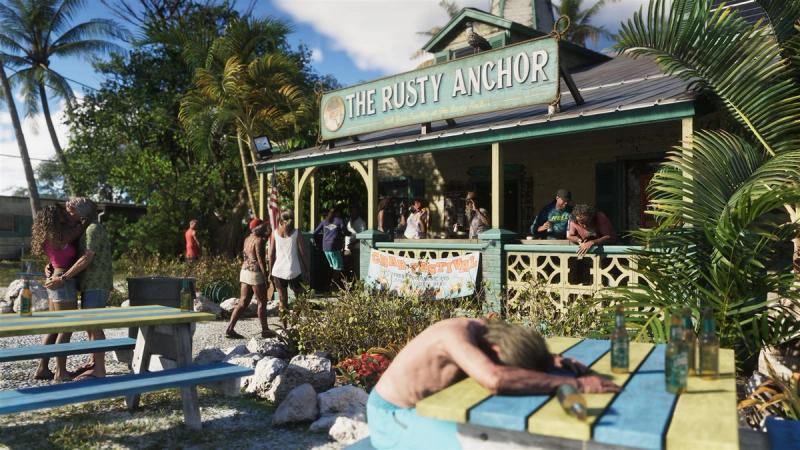
Zwiezen writes that the series has rarely let players relax and take in the world like this. He describes sitting on a busy stretch of beach in Vice City to watch people go by, and sitting next to a campfire in the woods at night, listening to the world around him.
Quick Reference
- Flip or push a vehicle: stand against it, click in the left stick, then hold Square or X.
- Expect a flip to fail if the vehicle is too heavy, your stamina runs out or the ground is too steep.
- Sit or rest: hold Circle or B on foot. Grass and sand get a full sit, walls get a lean.
What Is Confirmed and What Is Not
This guide is based on Kotaku's own hands-on reporting from the released game, written by Zack Zwiezen and read on 19 November 2026. Rockstar Games has not published its own explanation of these controls, so the details here are as Kotaku reported them and have not been confirmed by Rockstar. Kotaku named the buttons as Square or X and Circle or B; we have matched those to PlayStation and Xbox respectively.